

MacBook Liquid Damage Repair
Spilt something on your MacBook? Act quickly and there is a good chance it can be saved. We handle MacBook water damage repair and MacBook liquid spill repair at board level under a microscope at our Burwood and Newtown workshops — including machines other shops have already turned away.

Professional MacBook Liquid Damage Repair
A water damaged MacBook is not usually killed by the liquid itself. What kills it is corrosion, which begins within minutes of the spill and keeps spreading for as long as the board stays wet and powered. That is why MacBook liquid damage repair is a race, and why the first hour matters more than anything we can do later.
Our process is board level. We open the machine, disconnect the battery to stop current flowing across wet traces, and inspect under a microscope to find where the liquid travelled. Boards are cleaned properly rather than simply dried, corroded components are addressed individually, and the machine is tested in stages rather than reassembled and hoped for.
This is the work most repair shops send elsewhere. We do it in house, which is also why we can often recover data from a MacBook that will not power on at all. For spills on other laptop brands, see our laptop repair services, or our general water damage repair page for phones and tablets.
MacBook Models We Repair
Every MacBook Air and MacBook Pro from 2015 onwards, Intel and Apple silicon alike.
- MacBook Air (M1 · M2 · M3 · M4)2018–2025
- MacBook Pro 13-inch (Intel · M1 · M2)2019–2022
- MacBook Pro 14-inch (M1 · M2 · M3 · M4 · M5)2021–2025
- MacBook Pro 16-inch (M1 · M2 · M3 · M4 · M5)2019–2025
- MacBook Air Retina (13-inch)2018–2020
- Older Intel MacBook (Air and Pro)2015 onwards
Apple silicon machines bring one complication worth knowing about: storage is soldered to the logic board. If the board is badly corroded, data recovery becomes board repair, which is exactly the work we specialise in — but it is another reason speed matters.
We repair liquid damage on every recent MacBook. Your Apple model number is printed on the underside of the case and starts with “A” — quote it when you call and we can confirm exactly which machine you have before you travel in.
Signs of Liquid Damage in a MacBook
- Will not power on, or powers on and shuts down again
- Keys sticking, repeating, or typing the wrong characters
- Trackpad clicking oddly or not responding
- Screen dark, dim or showing lines after a spill
- Fans running loudly and constantly
- Charging that stops working, or a charger that gets hot
- Speakers crackling or silent
- A faint smell, or visible residue around the keyboard
Some of these appear immediately. Others surface days or weeks later as corrosion spreads, which is why a MacBook that survived a spill is still worth having checked.
What To Do Immediately After a Spill
- Power it off now. Hold the power button down. Do not wait for a normal shutdown.
- Unplug it and leave it unplugged. Charging a wet board causes more damage than the spill.
- Do not test it. Every attempt to switch it on drives current through wet circuitry.
- Drain it. Stand it upside down, open like a tent, so liquid runs away from the board.
- Skip the rice and the hairdryer. Neither helps, and heat warps components.
- Bring it in. The sooner the board is cleaned, the more of the machine survives.
Why Choose Cheap Mobile Repair
- Genuine board-level work under a microscope, not just a clean and reassemble.
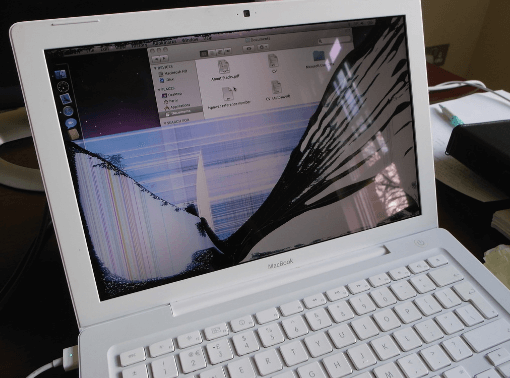
- We take on machines others refuse. If the screen went black after the spill, our guide to screen faults versus logic board faults explains what to check. A written-off MacBook is worth a second opinion.
- Free assessment before you commit to anything.
- Data first. If the files matter more than the machine, we prioritise recovering them.
- Honest odds. We tell you what we think the chances are rather than taking your money and hoping.
- Trading since 2015 across Burwood, Newtown, Parramatta and Adelaide.
MacBook Liquid Damage Repair Cost
Liquid damage is the one repair nobody can price over the phone honestly. A machine where a small amount of water reached the keyboard is a different job to one where a full glass went through the board. We open, assess and then quote.
What we can promise is that you will know the price before work begins, and that if we believe the machine is not economically repairable we will say so rather than billing you for a hopeless attempt. Where the data matters more than the laptop, we will tell you that too and focus there instead.
Why Liquid Damage Gets Worse With Time
The reason we push people to come in quickly is chemistry rather than sales. When liquid bridges two points on a powered board, current flows where it should not, and metal begins migrating between contacts. That process does not stop when the screen goes dark. It continues quietly for days, and every day the list of damaged components grows.
In MacBook Air water damage repair and MacBook Pro liquid damage repair alike, sugary drinks are the worst offenders. Coffee with sugar, soft drink and juice leave a sticky residue that keeps attracting moisture from the air long after the visible liquid has gone. Salt water is similarly aggressive. Plain water is the most survivable, but only if the machine is opened and cleaned before corrosion sets in.
This is also why a MacBook that seems fine after a spill is not necessarily fine. We regularly see machines that worked normally for three weeks and then failed, by which point the repair is far larger than it would have been on day one.
What Board-Level Cleaning Actually Involves
A proper liquid damage repair is not a matter of drying the machine out. The board comes out, the battery is disconnected so nothing is live, and the board is inspected under a microscope to trace exactly where the liquid travelled. In effect this is MacBook motherboard water damage repair: residue is removed chemically rather than wiped, corroded pads are cleaned back to bare metal, and damaged components are replaced individually.
The machine is then tested in stages — power, then display, then keyboard, trackpad, ports and audio — because a board that powers on is not the same as a board that works. Rushing that sequence is how machines come back a fortnight later with a fault that was there all along.
Liquid damage often affects storage and other components too. You may also want our data recovery service, or our liquid damage repair page if a spill was involved.
Frequently Asked Questions
Can a liquid damaged MacBook be saved?
Often, yes — and more often than most shops will tell you. Success depends on what was spilt, how much reached the board and, above all, how quickly the machine was powered off and brought in. Sugary drinks and salt water are more corrosive than plain water.
What should I do right now?
Power it off immediately — hold the power button rather than waiting for a shutdown. Do not plug it in, do not charge it, do not press keys to test it. Turn it upside down like an open tent so liquid drains away from the board, and bring it in as soon as you can.
Does the rice trick work?
No. Rice does nothing for the corrosion already starting on the board, and dust from it can make things worse. The damage that kills a MacBook is electrochemical, not simply moisture, and it continues while the machine sits in a bag of rice.
How much does MacBook liquid damage repair cost?
It depends entirely on what the board looks like once opened. Some machines need cleaning only; others need component-level work or a replaced part. We assess first and quote before doing anything, so you are never committed to an open-ended bill.
How long does it take?
Longer than a screen swap. Cleaning and drying is a staged process, and we test between stages rather than rushing. Expect a few days for a proper job, and we will keep you updated rather than leaving you wondering.
Can you recover my files if the MacBook is dead?
Frequently, yes. Recovering the data is often the first priority, and on many models we can retrieve it even when the machine will not power on. See our data recovery service.
Is liquid damage covered by warranty?
Not by ours, and not by Apple. Liquid damaged devices carry no repair warranty because corrosion can resurface weeks later. We are upfront about that before you commit rather than after.
My MacBook still works after a spill. Do I need anything done?
Bring it in. Corrosion spreads quietly and a machine that seems fine can fail weeks later. An early clean is far cheaper than a board repair after the damage has spread.
Do you repair MacBooks other shops have refused?
Regularly. Board-level work under a microscope is our speciality, and machines written off elsewhere are a routine part of what comes through our door.
Will the keyboard and trackpad still work?
Not always — those are usually the first components a spill reaches. If they are damaged we will quote them separately, and you can read more on our keyboard replacement and trackpad repair pages.
Visit Our Stores
We handle MacBook liquid damage repair in Sydney from our Burwood store at 10 Burwood Rd, and our Newtown store at Shop 1A, 2 Enmore Road, two minutes from Newtown station. Customers in Parramatta can also use our free pickup and delivery service for added convenience.
Not sure which repair you need? Start with our main MacBook screen replacement page, browse our full laptop repair services, or get in touch and we will point you in the right direction. Want the full picture first? Read our guide to MacBook screen replacement costs and timing in Sydney.



