

MacBook Keyboard Replacement
Sticking keys, repeating letters, or a key that has come off entirely? We handle MacBook keyboard repair and MacBook key replacement at our Burwood and Newtown workshops — including single keys, full keyboards and the butterfly-mechanism faults on 2016 to 2019 models.
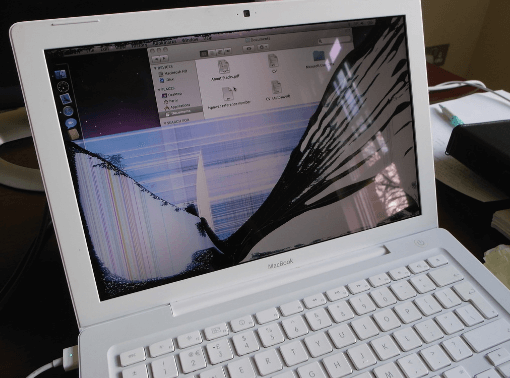
Professional MacBook Keyboard Replacement
Apple MacBook keyboard replacement is the repair people put off longest, usually by working around a dead key for months. They rarely improve on their own, and on a machine you type on all day the difference a working keyboard makes is immediate.
What the repair involves depends on the model. Older MacBooks allow the keyboard to be replaced on its own. On many Apple silicon and butterfly-era machines the keyboard is riveted into the top case alongside the battery and trackpad, so an Apple laptop keyboard replacement can mean a top case assembly. We tell you which applies to yours before quoting, because the difference in price is substantial and you deserve to know why.
Where a single keycap or scissor clip has broken, we fix exactly that rather than selling you a whole keyboard. For non-Apple machines, see our laptop repair services.
MacBook Models We Repair
Every MacBook Air and MacBook Pro from 2015 onwards, both butterfly and scissor mechanisms.
- MacBook Air M1 to M4 (2020–2025)scissor
- MacBook Air Retina (2018–2019)butterfly
- MacBook Pro 14 and 16-inch (2021–2025)scissor
- MacBook Pro 13-inch (M1 · M2, 2020–2022)scissor
- MacBook Pro Touch Bar (2016–2019)butterfly
- Intel MacBook Air and Pro (2015 onwards)both types
The 2016 to 2019 butterfly models are the ones we see most. If yours is from that era and keys have begun sticking or repeating, that is the mechanism rather than anything you have done wrong.
We replace keyboards and individual keys on every recent MacBook. Your Apple model number is printed on the underside of the case and starts with “A” — quote it when you call and we can confirm exactly which machine you have before you travel in.
Signs Your MacBook Keyboard Needs Replacing
- Keys that repeat characters when pressed once
- Keys that stick, feel mushy, or need a hard press
- Dead keys that do nothing at all
- A keycap that has come off or will not clip back on
- Backlight not working, or lighting unevenly
- Keys typing the wrong characters after a spill
- The whole keyboard unresponsive while the trackpad still works
If the fault appeared after a spill, treat it as liquid damage rather than a keyboard problem. Liquid enters the machine through the keyboard and reaches the board beneath, so the keys are the symptom rather than the cause. Our water damage repair page covers what to do first.
Why Choose Cheap Mobile Repair
- Single keys repaired where possible, not upsold to a full keyboard.
- Butterfly keyboard experience on the 2016 to 2019 models.
- Free diagnosis to establish whether it is the keyboard, a cable or the board.
- Six-month warranty — not sure which model you have? See how to identify your MacBook on parts and workmanship.
- Fixed quote before anything is opened.
- Free pickup and delivery if you cannot get to a store.
MacBook Keyboard Replacement Process
- Free diagnosis. Keyboard, cable, board or liquid — we establish which.
- Options explained. Single key, full keyboard or top case, with the price of each.
- Fixed quote. You choose before any work begins.
- Repair. Fitted in a clean workspace, with battery and trackpad transferred where a top case is involved.
- Testing. Every key, the backlight and the trackpad checked before handover.
MacBook Keyboard Repair Cost
The range here is wider than most repairs. A single keycap is a small job. A full top case on a recent Pro is one of the more expensive parts in the machine, because Apple bonds the keyboard, battery and trackpad together.
This is exactly why we diagnose before quoting, and why we will always tell you when a cheaper repair will solve the problem. Diagnosis is free, the quote is fixed, and if you decide not to proceed you take the machine away at no cost.
Butterfly Versus Scissor Keyboards
Butterfly keyboard repair covers the 2015 to 2019 models, where Apple used a butterfly mechanism under each key. It allowed a thinner machine, but the tolerances were so tight that a single crumb could stop a key working, and the failure rate became well known. Apple eventually returned to a scissor mechanism, which is what every MacBook since 2020 uses and which has proved far more reliable.
If your MacBook is from the butterfly era and keys have begun repeating, sticking or dying, that is the design rather than anything you did. Sometimes a careful clean under the keycap restores it. Where the mechanism itself has failed, the key or keyboard needs replacing, and we will tell you which after looking rather than guessing over the phone.
Scissor keyboards fail differently. They rarely die from dust, but they are vulnerable to liquid, and a spill that reaches the keyboard has almost always reached the board underneath as well.
Single Key, Keyboard or Top Case
Whether you need MacBook Air keyboard replacement or MacBook Pro keyboard repair, there are three tiers and the price difference between them is significant, so it is worth understanding which one your machine needs.
A single key is the smallest job — a keycap that has come off or a broken scissor clip beneath it. Where that is all that is wrong, that is all we fix. A full keyboard replacement applies to models where the keyboard can be separated from the case. On many recent MacBooks, though, Apple rivets the keyboard into the top case alongside the battery and trackpad, so replacing it means replacing that whole assembly and transferring components across. That is the most expensive tier, and we will always check whether the cheaper options solve your problem first.
Keyboard faults after a spill are usually liquid damage. You may also want our data recovery service, or our liquid damage repair page if a spill was involved.
Frequently Asked Questions
Can you replace just one key?
Often, yes. A single missing or broken keycap is usually far cheaper than a full keyboard, and on many models we can fit an individual key or its scissor clip. Bring it in and we will check before quoting anything larger.
How much does MacBook keyboard replacement cost?
It depends on whether one key, the keyboard, or the whole top case is needed. On several models Apple bonds the keyboard into the top case with the battery, which makes it a bigger job. We diagnose free and quote before starting.
My keys repeat or stick. Is that fixable?
Yes. Repeating, sticking and dead keys are classic butterfly-mechanism faults on 2016 to 2019 models, and also happen after crumbs or liquid. Sometimes a clean resolves it; sometimes the mechanism needs replacing.
I spilt something and now keys do not work. What should I do?
Power the MacBook off immediately and do not charge it. Liquid reaches the board through the keyboard, so this is liquid damage rather than a keyboard fault. See our liquid damage repair page and bring it in quickly.
How long does it take?
A single key is usually done while you wait. A full keyboard or top case replacement takes longer, often a day, because it involves transferring the battery and trackpad across.
Do you fix the butterfly keyboard problem?
Yes. The 2016 to 2019 butterfly models are a known weak point, and we repair them regularly. If yours is in that range and keys have started failing, it is worth having looked at rather than living with it.
Will I lose my data?
No. A keyboard replacement does not touch your storage. We recommend a routine backup before any repair regardless.
Is there a warranty?
Six months on parts and workmanship. Damage caused by a fresh spill or new physical impact is not covered.
Can I use an external keyboard instead?
As a stopgap, yes, and for a desk setup it may be all you need. If you use the machine as a laptop, though, a repair restores it properly.
My backlight stopped working but the keys type fine. Can that be fixed?
Usually yes. Keyboard backlight failure is often a cable or board-level fault rather than the keys themselves, and we can diagnose which before quoting.
Visit Our Stores
We handle MacBook keyboard replacement in Sydney from our Burwood store at 10 Burwood Rd, and our Newtown store at Shop 1A, 2 Enmore Road, two minutes from Newtown station. Customers in Parramatta can also use our free pickup and delivery service for added convenience.
Not sure which repair you need? Start with our main MacBook screen replacement page, browse our full laptop repair services, or get in touch and we will point you in the right direction. Want the full picture first? Read our guide to MacBook screen replacement costs and timing in Sydney.



